
IPTVX, front and centre.
Keep IPTVX first, choose your other favourites, and scroll down to the full app library. Continue Watching appears when your installed IPTVX version shares titles with Android.
Free · Android TV & Google TV
Your TV. Beautifully yours.
A calmer, more personal home for the biggest screen in your house. Your favourite apps up front. Everything else, exactly where it belongs.
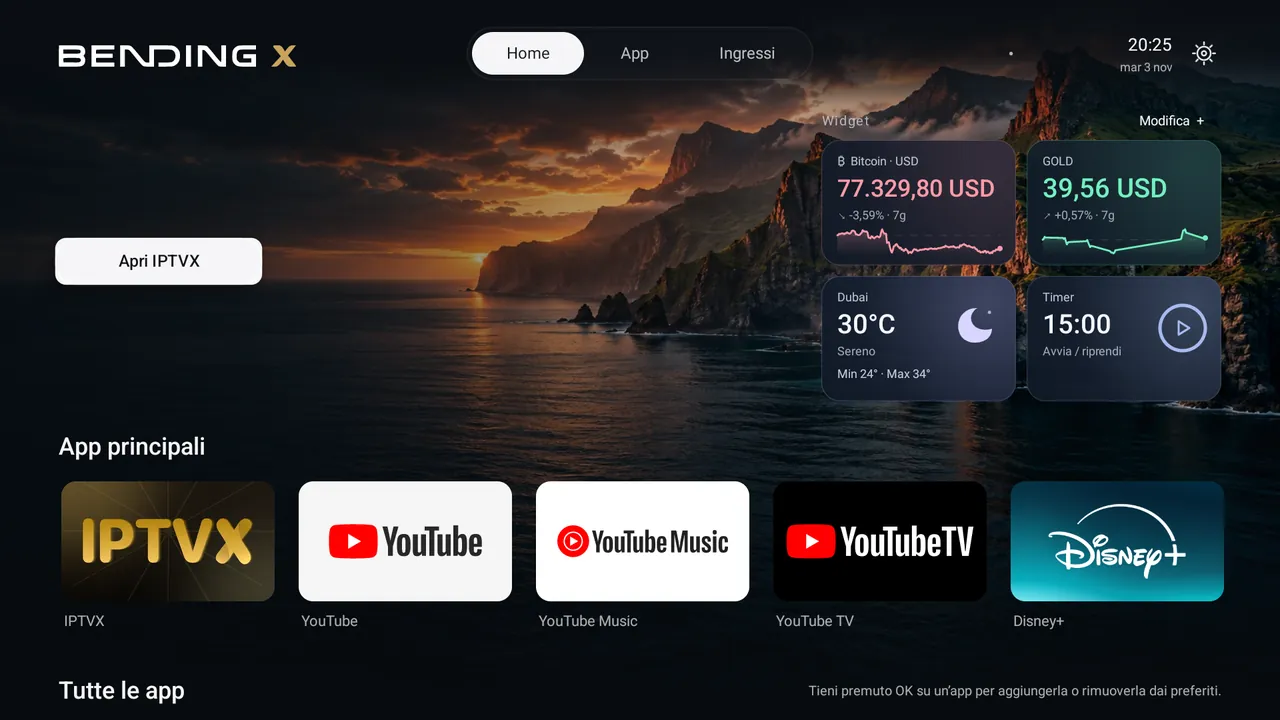
Keep IPTVX first, choose your other favourites, and scroll down to the full app library. Continue Watching appears when your installed IPTVX version shares titles with Android.
Eleven cinematic backgrounds, ready to enjoy offline. Pick your favourite, or let them change automatically every minute with a soft dissolve.
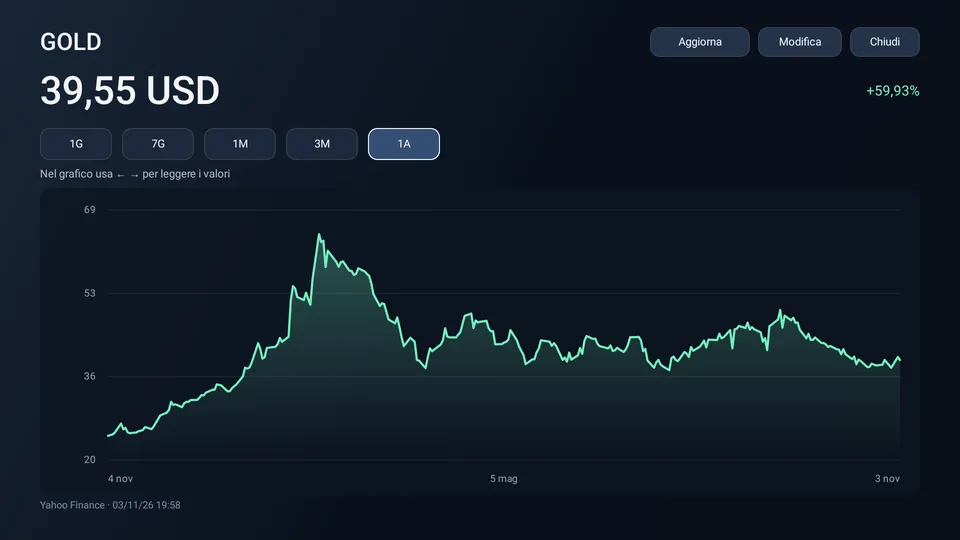
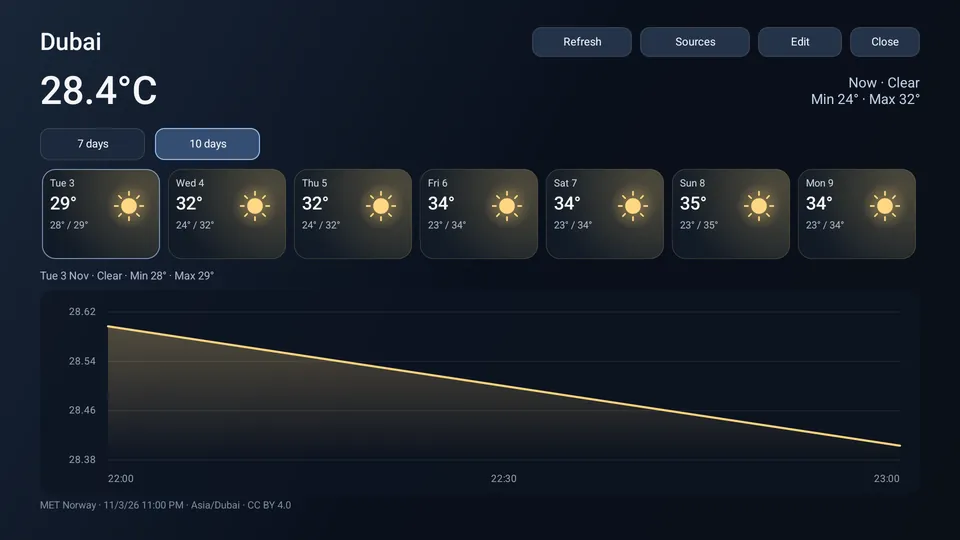
Markets, weather, Bluetooth and a timer. Add up to four, arrange them your way, and choose the symbols, city and settings that matter to you. Weather uses the free MET Norway service, with offline city search powered by GeoNames.
Small widgets. Bigger picture.
Press OK on a market or weather widget to open the detail view. Explore up to a year of market history or up to ten days of weather forecasts with your remote.
Settle in
For Android TV and Google TV running Android 9 or later. You will need a remote and an internet connection to download the APK.
Open this page on your TV and select Download free APK. You can also download on a computer or phone, then transfer the file to the TV using USB or a file-transfer app.
Open the downloaded APK. If Android asks, allow installation from the browser or file manager you are using, then confirm Install. Open Bending X Home from your apps.
If your TV offers a default Home app selection, choose Bending X Home. On Google TV, open the launcher’s Settings → Home button on Google TV, follow the link to Android Accessibility, and enable Bending X · Home button.
The optional Home-button service only responds when the Google TV launcher opens. It does not read screen contents or intercept remote keys. Keep Google TV and the system Settings app enabled.
Choose a background in Settings, use Edit + to arrange your widgets, and hold OK on an app to add or remove it from your favourites. The interface follows the TV’s language settings.
For Continue Watching, open Settings → IPTVX Top Shelf and allow access to TV listings if requested. Titles appear only when your installed IPTVX version publishes them; otherwise Home shows a simple Open IPTVX button.
Your TV stays yours
The gear in the top bar opens the launcher menu, with TV Settings taking you to your TV’s original settings. Original TV Home opens its original home screen.
To return permanently, turn off Bending X · Home button in Android Accessibility and select your original Home app if prompted. You can then uninstall Bending X Home normally.
Free from Bending X
Bending X Home is free. IPTVX opens as its own app and is installed separately; its subscriptions and add-ons are managed in IPTVX.
Tested on TCL Google TV and Android TV emulators. Home-button setup varies by firmware. English, Italian, French, German, Spanish, Portuguese, Norwegian and Swedish are supported.
Get IPTVX on Google Play ↗Latest release
Bending X Home
Android TV · Google TV · Free